

Why custom plugins
A custom plugin lets Kody read your internal systems, such as a knowledge base, an incident dashboard or a policy engine, while it answers on a pull request. Reviewers stop pasting screenshots and stale snippets into comments.Kodus supports remote MCP servers only. The server must be reachable from Kodus’ infrastructure: no
localhost, no desktop MCP endpoints.Prepare your plugin info
Gather these details before opening the Plugins page:
Looking for remote MCP servers to try?
- Smithery.ai curates deployable MCP services.
- Awesome Remote MCP Servers lists community-maintained endpoints.
Install the plugin in Kodus
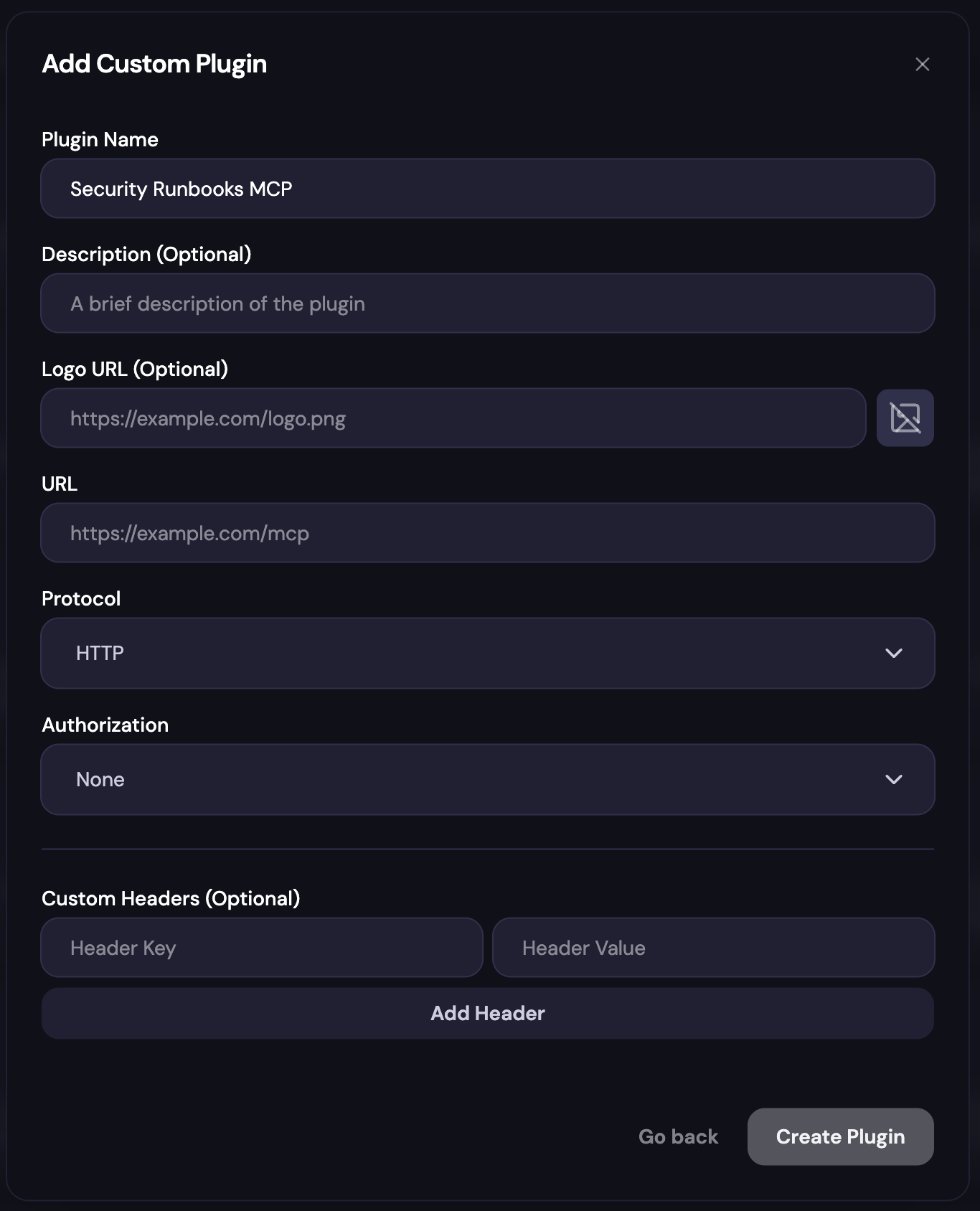
Plugins → Add Custom Plugin card → Add Plugin opens this form
1
Open the form
In the sidebar, open Plugins. On the Add Custom Plugin card, click Add Plugin.
2
Fill it in
3
Choose its tools and install
The plugin opens. With OAuth 2.0, click Authenticate with the plugin first. Under Selected tools, keep only the tools Kody needs, then click Install plugin. An installed plugin shows Installed on its card.
Verify the connection
- Open a pull request in a repository where Kody is enabled.
-
Comment with
@kodyand a question only the plugin can answer: - Check Kody’s reply. It should include data your plugin returned. If it doesn’t, open the plugin on the Plugins page and check its URL, protocol and authorization.
To rehearse the flow without building a server, add
https://docs.kodus.io/mcp as a custom plugin: protocol HTTP, authorization None.Use it in a custom agent
A custom agent reads from an installed plugin when you turn it on under Tools → Plugins on the agent’s page. Only read tools are offered. See Skills, docs and tools.Quick checklist
- The server is reachable from Kodus over HTTP or SSE.
- Its authorization works with the method you chose.
- Selected tools lists tools, and only the ones Kody needs are selected.
- The plugin shows Installed.
- A test comment on a pull request returned data from the plugin.
- Someone owns monitoring and updating the integration.